May 25, 2026 // bogs // essay
2anything - The last file convertor you will ever need
Most online file converters are privacy black boxes. You drag in a document, image, voice note, spreadsheet, or GPS track, wait for a spinner, and hope that whatever happens on the other end is as temporary and harmless as the landing page claims. Usually you know almost nothing about the people running the site, where the files are stored, what gets logged, how long anything is retained, or what other systems get access to the data. I do not think that model is very appealing. So I have been building 2anything, a local, privacy-focused file convertor for macOS whose purpose is simple: convert almost anything to almost anything, without forcing you to upload your files to websites you do not really know.
Update: 2anything is now live. Get it at 2anything.app.
This is my new project and the thing I have been working on. It is the kind of software I am genuinely excited to build: an old-school utility with a clear job, a local workflow, and no need to become a service or a platform to be useful.
That is the whole pitch. If a file is already on your machine, the default assumption should be that the conversion happens on your machine. Not on a random server. Not inside an account you had to create just to convert one PDF. Not behind a rate limit. Not behind a "free plan" that suddenly refuses to process your file after the third attempt. If I have the file and I have the software, the job should happen here.
Almost Anything to Almost Anything
What I want from a convertor is not a tiny set of narrow features. I want a tool that behaves like a proper utility. It should take awkward files from awkward places and give me back something usable. It should handle the obvious jobs, the edge cases, and the crossover cases where one kind of media turns out to be more useful in another form.
That means images, documents, audio, video, archives, subtitles, config files, geo files, certificates, logs, data files, and scientific formats. The point is simple: one local tool should cover as many real file conversion jobs as possible, so you do not have to stop and think, "what website do I need for this one?"
Why It Has To Be Local
Privacy is the first reason. People upload absurdly sensitive material to online converters because the web has trained them to treat convenience as more important than ownership. Contracts. Internal spreadsheets. Medical PDFs. Voice notes. Scanned IDs. GPS tracks. Logs. Config files. Browser exports. Certificates and keys. A file convertor should not be a data collection event.
Reliability is the second reason. A local tool does not disappear because a service changed its pricing, introduced limits, broke a backend, or decided your file is too large for the free tier. It does not ask for an internet connection to convert something that never needed the internet in the first place. It just does the job where the file already lives.
I think that should be normal. Software used to work like this all the time. Utilities were supposed to be tools, not upload funnels.
I also think there is something appealing about buy once, use forever software. A good local utility should be something you can keep on your machine for years, reach for when a file problem appears, and trust to keep doing its job without subscriptions, quotas, or constant dependence on somebody else's infrastructure.
Useful To Normal People
One thing I care about with 2anything is that it should not feel like a toy for one niche. The best utilities are useful to lots of different people for different reasons. Office workers, video editors, designers, athletes, programmers, and terminal weirdos should all be able to find their own path through the same tool.
Office Workers Need Boring Things To Work
A huge amount of ordinary work is still just moving documents from one format to another. PDF to text. PDF to DOCX. PDF to Markdown. DOCX to PDF. HTML to EPUB. RTF to something sane. PPTX into text you can actually reuse. CSV into a document or spreadsheet-friendly format. These jobs are not glamorous, but they are constant.
PDF handling is especially important because PDFs are routinely horrible. Some are clean digital files. Some are scans. Some have broken encodings, weird fonts, or miserable exports from legacy systems. So 2anything does not just handle the easy cases. It extracts text directly when possible and falls back to OCR when necessary. Software should try to do the job anyway.
Video Editors Need Fast Conversions
Video people constantly need practical format work. .mov to
.mp4. .mp4 to .webm. A clip turned
into a GIF. A representative still frame pulled out automatically. A file
resized for a smaller export. A change of container without opening some
huge editing suite just to do a simple transcode.
There is also one feature I think is genuinely useful: video to image grid. 2anything can turn a video into a contact sheet or sprite sheet, pulling frames from across the timeline into a single image. That is good for previewing footage, scanning a whole clip quickly, building reference boards, or producing design assets.
Finally A Solution To Changing Image Formats
Designers spend too much time dealing with files that are almost right. Wrong export. Wrong format. Wrong compatibility target. Wrong output for the next tool in the chain. So the image side of 2anything is broad on purpose: PNG, JPG, WebP, TIFF, BMP, GIF, ICO, AVIF, HEIC, SVG, PDF, and more.
Sometimes that means ordinary format conversion. Sometimes it means PDF to image. Sometimes it means raster to SVG vectorization. Sometimes it means image to text through OCR. The job is not to be clever. The job is to stop format friction from wasting people's time.
A Tool for Fitness Trackers
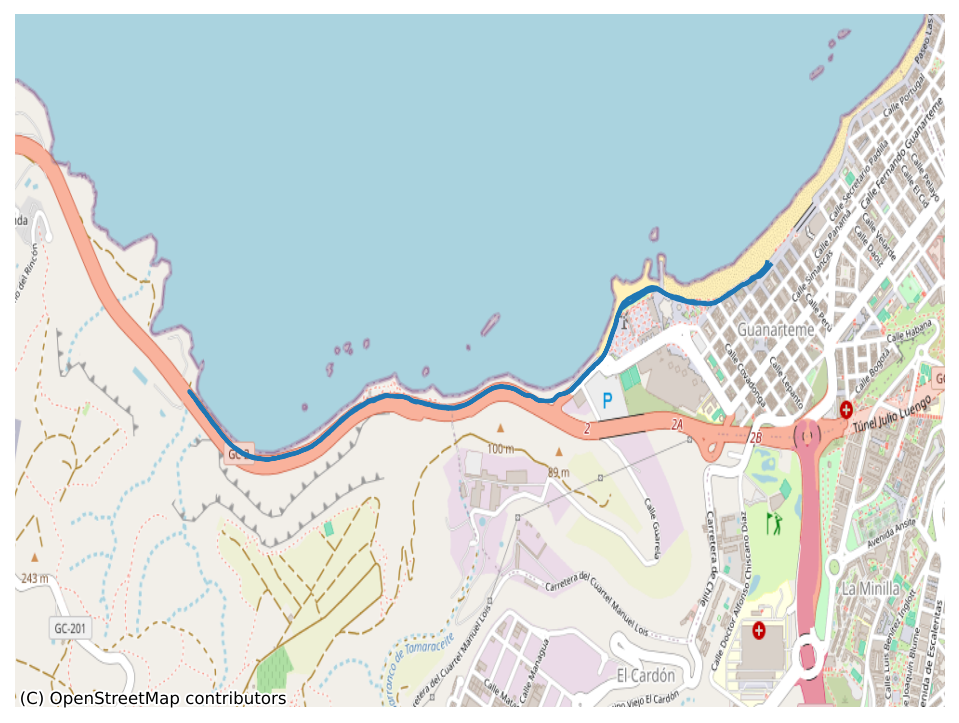
GPX, GeoJSON, KML, KMZ, FIT. These files tend to live in little silos, each tied to some service or device ecosystem that behaves as if your route, workout, or track belongs to them. I dislike that. A run is yours. A ride is yours. A hike is yours.
So 2anything can move among geo formats, flatten them into CSV, and even render them into PNG maps. That makes it useful for athletes, travelers, hikers, cyclists, or anyone who wants to actually use their location data somewhere else. Need to write a blog post about your travels? Convert that trail into an image. Need to extract some analytics? Convert it to CSV.
Programmers Need Escape Hatches
Programmers routinely end up with data in the wrong format for the next task. JSON that needs to become CSV. SQLite that needs to become JSONL. Config files that need to become YAML. DOCX tables that should really be in a spreadsheet. Logs that need to become structured JSON instead of remaining plain text.
So 2anything handles practical data formats like JSON, CSV, TSV, XML,
SQLite, YAML, TOML, .env, and various config styles, but it
also goes further into Parquet, Feather, Arrow, MessagePack, HDF5, NumPy,
BSON, and CBOR. A good utility should help data leave one tool and
become useful in another.
Nerds Deserve Nice Things Too
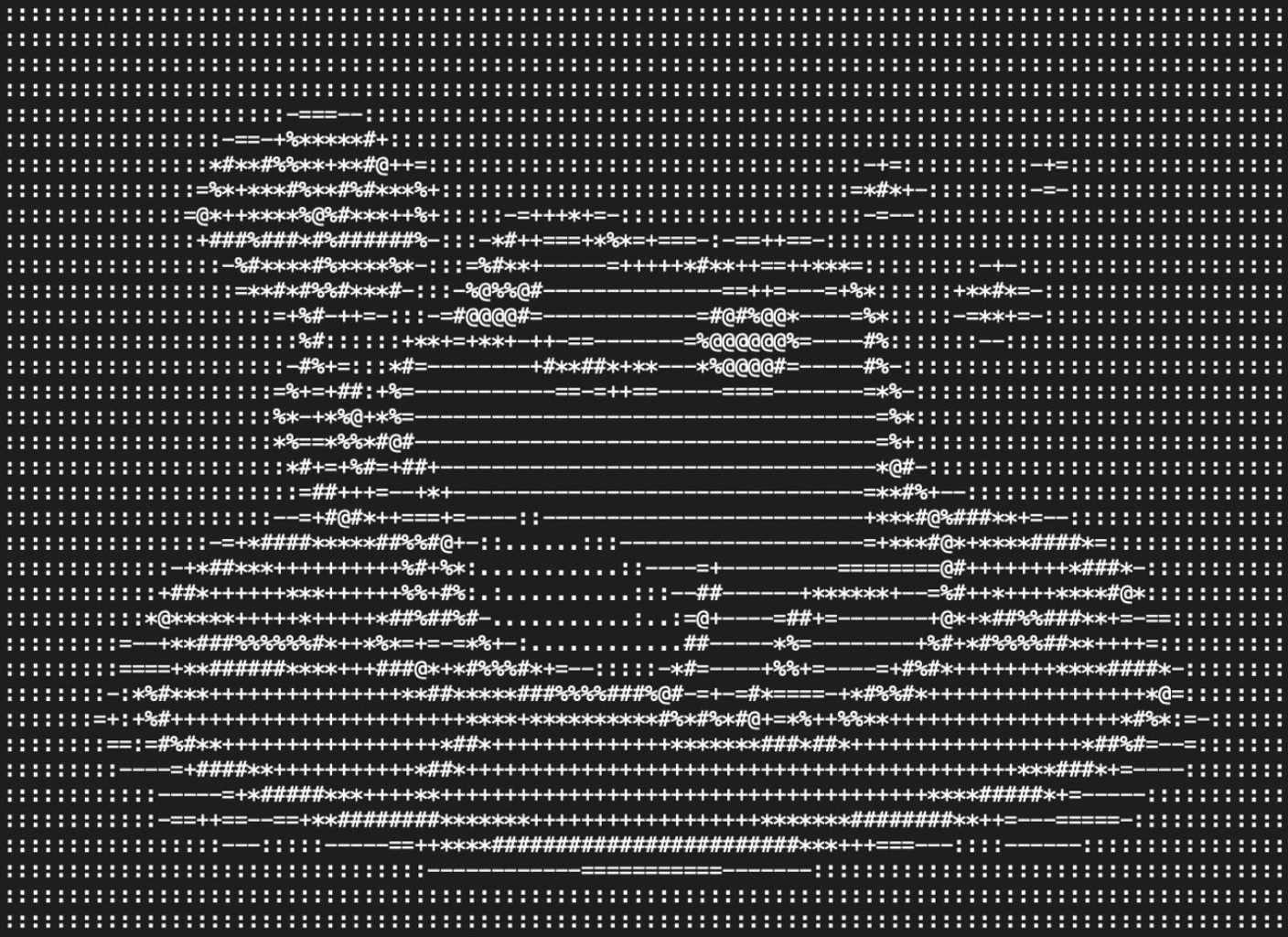
I still enjoy features that are a little more playful, but the important thing is that they are still concrete. Image to ASCII art is one example. It is fun, yes, but it is also a legitimate text rendering of an image and a pleasant reminder that formats can be repurposed. Audio to spectrogram or waveform image is another. Text to speech and speech to text are another pair entirely.
It Can Find A Route When There Is No Obvious One
Another useful part of 2anything is that it does not only rely on direct one-step conversions. Under the hood there is a format graph. If there is no obvious single converter for the job, the app will try to find the best path across multiple converters and use that instead. The user should not have to manually discover the intermediate format.
For example, a scanned PDF can become Markdown even when the useful path is not "PDF directly to Markdown" in the naive sense. The PDF converter can OCR the pages into usable text or HTML, and then the document converter can take it the rest of the way into Markdown or another document format. The same idea applies all over the tool: if the shortest obvious route is not available, 2anything tries to traverse the graph and find a better one.
Predictable Beats Flashy
I do not want 2anything to feel eccentric. I want it to feel dependable. The right model is not some novelty website that does one surprising trick. The right model is a proper local utility: something small, capable, and quietly well prepared. A tool you keep around because it solves the file problem in front of you without making you care how.
Predictability matters more than flash. Clear inputs. Clear outputs. Sensible defaults. Good failure modes. Best effort with bad files. Honest error messages. The user should not have to learn the internal structure of the software just to turn one thing into another. All of the complexity belongs under the hood.
The Point
The point of 2anything is not to be a gimmick and not to be a cloud service. It is to be the convertor you reach for first because it is local, private, broad, and reliable. Almost anything to almost anything, without asking you to hand your files to websites you know nothing about.
If you are an office worker, it should help with PDFs and documents. If you are a video editor, it should handle formats, GIFs, stills, and contact sheets. If you are a designer, it should smooth out image format friction. If you are an athlete, it should free your routes and activity files. If you are a programmer, it should move data among the formats you actually use. And if you are the sort of person who occasionally wants ASCII art or a spectrogram, it should do that too.
That is the standard I am aiming for: a local convertor that is broad enough to be useful to almost anyone, predictable enough to trust, and private enough that you never have to wonder where your files went.
Back to blog